فروشگاه ناوک - آموزش و نرم افزار گرافیکی انیمیشن طراحی و معماری
ارزانترین فروشگاه ارائه دهنده محصولات گرافیکی ، آموزشی ، نرم افزار و معماری
فروشگاه ناوک - آموزش و نرم افزار گرافیکی انیمیشن طراحی و معماری
ارزانترین فروشگاه ارائه دهنده محصولات گرافیکی ، آموزشی ، نرم افزار و معماریCG Academy: Lighting & Rendering Fundamentals 1 شماره ۸۸۷
This is the first DVD in a series that will teach you the theory and practical aspects of rendering and lighting within 3dsmax and Maya. This DVD focuses on the theoretical aspects of light and colour, such as light reflection, colour temperature, dynamic range and much more. This DVD forms a solid foundation on which the lessons of DVD2 and beyond will be built.
This DVD is aimed at a user that has a basic practical knowledge of 3dsmax or Maya. It does not require any previous knowledge about rendering and lighting and aims to teach the topic from the ground up.
قیمت : قیمت کلیه محصولات را می توانید در فایل اکسل ( قابل دانلود ) ملاحظه نمائید
( محصول شماره ۸۸۷ )

CmiVFX Fusion Common Particles شماره 886
This is the third installation of particle training for fusion.Based on many users requests for particle libraries in fusion, cmiVFX has decided to take some of the most common effects used in entertainment and break them down step by step for artists around the world.
From this wide variety of effects shown on this high definition video-Rom, users can both learn how to construct these complicated effects from scratch or modify our fusion files to work in their production pipeline. Users can even turn them into macros, so that they can apply them in a production that uses the effect repetitively across many shots. We teach how to create, animate, colorize and texture every particle system on this disk. Unlike our competition, will not need to guess how to complete the shot.
قیمت : قیمت کلیه محصولات را می توانید در فایل اکسل ( قابل دانلود ) ملاحظه نمائید
( آموزش شماره 886 )

CmiVFX Fusion 3D Matte Paintings شماره ۸۸۵
3D Matte Painting Extractions are a now common process in the visual effects industry. The technique for matte paintings and 3d extraction have been around for years, but normally found in a 3d animation package like Maya, XSI, or Cinema 4D. Since version 5.0 of Eyeon's Fusion compositing application, 3d tools have been available to generate 3d style composites. With the latest release of Fusion, additional tools have been introduced in order to assist in the workflow of using 3d projections utilities such as the "Projector" and "Camera".
قیمت : قیمت کلیه محصولات را می توانید در فایل اکسل ( قابل دانلود ) ملاحظه نمائید
( آموزش شماره ۸۸۵ )

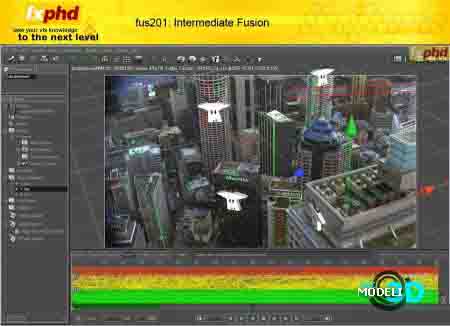
fxphd - fusion201: Intermediate Fusion شماره ۸۸۴
Matt Leonard leads our intermediate Fusion course at fxphd, building upon his 100-level introductory course. Since members have learned the basics in FUS101, Leonard will cover using the app on a project basis, tackling scenes over several classes in order to show how to truly get the most out of the software. From greenscreen keying, to tracking and using 3D projections, to graphics design, you'll see why Fusion is used by so many different types of artists.
Leonard's sphereVFX company has been doing Fusion training for years, including creating an intermediate level DVD for the app. Leonard has worked in the animation and visual effects industry for over sixteen years producing state-of-the-art work for feature films, broadcast and commercials in the UK and US markets....
قیمت : قیمت کلیه محصولات را می توانید در فایل اکسل ( قابل دانلود ) ملاحظه نمائید
( آموزش شماره ۸۸۴ )
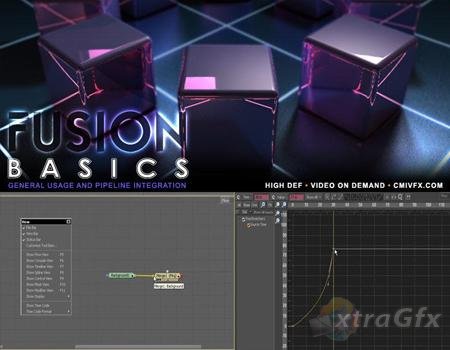
cmiVFX Fusion 5 Basics شماره ۸۸۳
This video will gear you up for a more advanced level of compositing. Based on viewer feedback from previous versions of our video's, we were able to design a nearly perfect way to train new fusion users. If you are new to compositing or switching from another compositing application over to Fusion 5, you will cherish the content of this video. We cover all the things that a entry level compositor will need the first day on the job. Lessons range from basic math to creating your own tools,
قیمت : قیمت کلیه محصولات را می توانید در فایل اکسل ( قابل دانلود ) ملاحظه نمائید
( آموزش شماره ۸۸۳ )
cmiVFX Fusion Preparing for 3D Compositing شماره ۸۸۲
This focus of this video is geared towards multiplane and standard 3d manipulative compositing.
We built this video to show you the WHOLE TRUTH about compositing. When working in a production pipeline, often source materials are coming from multiple applications and even multiple FX houses. Learn to bridge all the gaps in your workflow with file translations from Cinema 4D, Maya, Boujou, PFTrack and Fusion 5x. See how all the products integrate quite well with each other, and allow you to get the results you need. We designed it this way to show you the worst case scenario, and how its not that bad after all. We have all the final footage for the Fusion composites in the download area. If you have any of the other apps, we also included there working files for those as well.
Of course we include all of the courseware for this video, but that would be robbing you of the true production experience. We show you how to build the materials used on this video as well! Not only that but we include the work files of all the applications used in this video. This part of the video covers setting up background plates to be rendered in global illumination within the cinema 4d interface. We include BOTH the rendered files AND the C4D docs as well. All in all, this is the most comprehensive video training for Fusion and its 3D compositing system.
قیمت : قیمت کلیه محصولات را می توانید در فایل اکسل ( قابل دانلود ) ملاحظه نمائید
( آموزش شماره ۸۸۲ )
نحوه خرید از فروشگاه و دریافت لیست سایر محصولات
cmiVFX Fusion Advanced Particle Tactics شماره ۸۸۱
Finally, we can all begin to take compositing to the next level. With the advent of Fusion 5, we as compositors are no longer limited to working with many different applications to achieve a single goal. We will take you through several real world projects from beginning to end focusing on the 3D particle system within Fusion 5 as well as utilizing the new 3d compositing environment. This video is worth its weight in gold, especially if you are versed in several applications and are tired of going back and forth doing renders and passing them multiple times just to find out you need to render them again in 3d before bringing them back to the co positing phase. Many Shake users will migrate from Shake to Fusion 5 once they realize the cost benefit and performance difference between the two applications. You can still use your knowledge of Shake's node tree to help you in Fusion. We will show Fusion migratory tips and tricks to make the transition easy.
قیمت : قیمت کلیه محصولات را می توانید در فایل اکسل ( قابل دانلود ) ملاحظه نمائید
( آموزش شماره ۸۸۱ )
cmiVFX Fusion Image Replacements and MatchMoves شماره ۸۸۰
Learn how to master Fusion’s 2d tracking features in regards to matchmoving and image replacement.
This video was based on questions asked on the user forum as well as inquisitive emails from artists around the world. Tracking and Match Moving has been around for quite some time, however information on these topics have been limited. With this 2.5 hour video, we solve the mystery that is match moving, tracking and analyzing.
With several projects based on popular film and tv concepts, this video will surely help you become a match moving pro. Learn how to negotiate concepts in fusion like data solving, and preparing your footage for data capture. There are 6 main projects to solve in these lessons. Each project focuses on a typical tracking type problem. Learn how to asses the problems like a pro, while learning hybrid crossover solutions that may tie unrelated projects together. There are often cases where 4 point, 2 point and planar tracks collide in what shot. Make sure to watch the work flow so you can manage multiple systems in a single shot solution
قیمت : قیمت کلیه محصولات را می توانید در فایل اکسل ( قابل دانلود ) ملاحظه نمائید
( آموزش شماره ۸۸۰ )
cmiVFX Fusion Advanced Keying and Compositing شماره ۸۷۹
In this DVD you will learn real world techniques for green/blue screen removal, edge concealment and set design. All of the project files are available on the DVD-Rom for you to follow along.This is not just a tutorial in navigating the specifics of dialogue boxes of filters. It is an approach to understanding the fundamental problems that may exist with your footage and industry proven techniques to solving them.This DVD is geared towards professionals with experience using standard keying techniques. We show you how to take those low level concepts and turn them into extremely accurate keys at even Digital Video quality levels! Concepts such as color space, interlacing, edge matting, advanced garbage matting are just a few of the MANY concepts on this DVD.
This DVD is in both Standard DVD format and in High Definition for computer users. High Definition specifications are at 720p, and the DVD format is in standard NTSC. This disc will be able to be viewed by just about any user on any DVD platform.This DVD is a must for any compositor.. even if they don't use Fusion. -cmiVFX
قیمت : قیمت کلیه محصولات را می توانید در فایل اکسل ( قابل دانلود ) ملاحظه نمائید
( آموزش شماره ۸۷۹ )
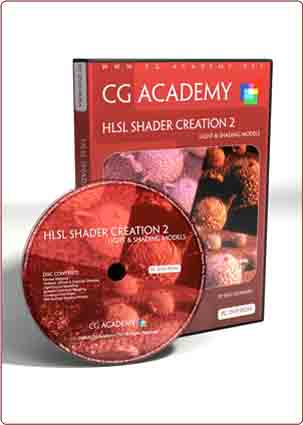
CG Academy HLSL Shader Creation 2: Light & Shading Models ش۸۷۸
In this second DVD in our HLSL Shader Creation series, Ben Cloward explores how you can create the main building blocks of a lighting and shading system in HLSL. He shows how you can build shaders to represent the Ambient, Diffuse and Specular components of surface shading. How to enhance your Ambient shading by using a combination of convolved HDRI environment maps and baked Ambient Occlusion. Ben also shows you how to create Point, Directional and Spot light sources. And we wrap up with a practical exploration of some of today’s standard surface shading models, including Phong, Blinn, Cook/Torrence and Oren/Nayar.
This DVD builds on the theory and skills taught in DVD one in this series. You need to know how to write basic HLSL shader code (surface & light) to get the most out of this title.
قیمت : قیمت کلیه محصولات را می توانید در فایل اکسل ( قابل دانلود ) ملاحظه نمائید
( آموزش شماره ۸۷۸ )