فروشگاه ناوک - آموزش و نرم افزار گرافیکی انیمیشن طراحی و معماری
ارزانترین فروشگاه ارائه دهنده محصولات گرافیکی ، آموزشی ، نرم افزار و معماری
فروشگاه ناوک - آموزش و نرم افزار گرافیکی انیمیشن طراحی و معماری
ارزانترین فروشگاه ارائه دهنده محصولات گرافیکی ، آموزشی ، نرم افزار و معماریI3D Tutorials - Rendering with SOFTIMAGE XSI v.I mental ray
در این دی وی دی آموزشی از شرکت I3D Tutorials با تکنیکهای مختلف رندر کردن Mental Ray در نرم افزار مدل سازی حرفه ای XSI بخوبی آشنا می شوید
قیمت : قیمت کلیه محصولات را می توانید در فایل اکسل ( قابل دانلود ) ملاحظه نمائید
( آموزش شماره 336 )

I3D Tutorials - Mastering the Art of ICE - Breaking the ICEش335
آشنایی با تکنیکهای Workflow در نرم افزار XSI که بطور حرفه ای توسط شرکت I3D Tutorial آموزش داده شده است این آموزش در قالب یک دی وی دی عرضه می شود
This training series dives deep into the inner workings of the new Interactive Creative Environment (ICE) in Autodesk Softimage 7. ICE is explained in depth; starting with the technical fundamentals and a breakdown of ICE trees, how they work, and how to use ICE to create effects for production.
قیمت : قیمت کلیه محصولات را می توانید در فایل اکسل ( قابل دانلود ) ملاحظه نمائید
( آموزش شماره 335 )

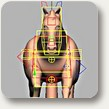
Digital Tutors - Animating Quadrupeds in XSI شماره 334
آشنایی با ساخت انیمیشن یک موجود چهارپا در نرم افزار XSI در قالب یک سی دی از شرکت Digital Tutors
قیمت : قیمت کلیه محصولات را می توانید در فایل اکسل ( قابل دانلود ) ملاحظه نمائید
( آموزش شماره 334 )
Digital Tutors - Introduction to Modeling in XSI شماره 333
آشنایی با تکنیکهای مدلسازی یک ابزار چند کاره در XSI
این آموزش در قالب 2 سی دی و 28 درس از شرکت Digital Tutors قابل عرضه می باشد
قیمت : قیمت کلیه محصولات را می توانید در فایل اکسل ( قابل دانلود ) ملاحظه نمائید
( آموزش شماره 333 )

Digital Tutors - Rendering Techniques in XSI شماره 332
آموزش تکنیکهای ویژه در نحوه رندرینگ در XSI در قالب یک سی دی از شرکت Digital Tutors
در این سی دی آموزشی با نحوه رندر نمودن یک مینی بوس آشنا می شوید
قیمت : قیمت کلیه محصولات را می توانید در فایل اکسل ( قابل دانلود ) ملاحظه نمائید
( آموزش شماره 332 )

Digital Tutors - Introduction to ICE in XSI 7 شماره ۳۳۱
آشنایی با تکنیک Workflow نرم افزار XSI 7
این آموزش در قالب یک سی دی و 30 فصل در اختیار علاقمندان قرار می گیرد
Learn a production-proven workflow to visual programming with ICE and easily extend the capabilities of XSI. Intergrate into existing popelines, rapid prototyping of tools, visually debug, and iterate and create in real-time. Perfect for artists and technical directors. Provides over 3 hours of project-based training for artists new to ICE in XSI.
Lesson Outline:
1. Introduction to the ICE Tree View 8:57
2. Building ICE particle simulations 8:05
3. ICE particle surface interaction 8:32
4. Particle Instancing with ICE 5:25
5. Particle rigid body simulations 4:14
6. Driving shaders with ICE attributes 5:59
7. Creating ICE Trees from scratch 9:14
8. Deformation with ICE 6:08
9. Conversion nodes 6:50
10. Ripple using vector math 4:12
11. Building compounds 6:32
12. Exporting compounds 6:48
13. Creating ICE attributes 6:25
14. Working with clusters 5:10
15. Simulating the spread of heat along the match 5:37
16. Increasing the heat value using the IF node 6:30
17. Real-time shaders and ICE 5:19
18. Fine-tuning the Heat spread 8:03
19. Deformation based on Heat 7:05
20. Emitting particles from hot regions 6:08
21. Deleting particles based on age 6:03
22. Modifying the particle color 4:39
23. Applying and formatting comments 5:22
24. Adding forces to make particles rise 7:50
25. Sculpting the flame with forces 6:11
26. Rendering with Particle Volume Cloud 7:50
27. Setting data on Color At Vertex maps 8:03
28. Map lookup in the Render Tree 3:20
29. Generating Heat from the flame 5:15
30. Sharing ICE Attributes 6:11
قیمت : قیمت کلیه محصولات را می توانید در فایل اکسل ( قابل دانلود ) ملاحظه نمائید
( آموزش شماره 331 )

Digital Tutors - XSI Automotive Modeling شماره 330
آموزشی جالب در زمینه مدلسازی یک اتوموبیل در محیط نرم افزاری XSI که در قالب 4 سی دی آموزنده توسط شرکت Digital Tutors برای همه علاقمندان آماده عرضه می باشد
قیمت : قیمت کلیه محصولات را می توانید در فایل اکسل ( قابل دانلود ) ملاحظه نمائید
( آموزش شماره 330 )

Gnomon Workshop - Creature Design with Aaron Sims Vol. 1 ش ۳۲۹
در اولین دی وی دی از مجموعه 2 دی وی دی از شرکت Gnomon Workshop با استفاده از تکنیکهای نرم افزار های فتوشاپ و XSI و ZBrush به مدلسازی یک موجود وحشتناک می پردازد
In the first of two DVDs, Aaron Sims illustrates the techniques he uses when designing creatures for movies. As the character’s facial features are the first and most important part of designing characters in film, this DVD concentrates on creating the character head. Using Photoshop, XSI and ZBrush, Aaron shows you how to accomplish stunning designs that can be easily altered for other designs. Speed is an important aspect of character design in production, which Aaron demonstrates by showing you how his process helps you design within a production environment.
قیمت : قیمت کلیه محصولات را می توانید در فایل اکسل ( قابل دانلود ) ملاحظه نمائید
( آموزش شماره ۳۲۹)

Noesis - HL2 character design in XSI شماره ۳۲۸
آموزش شراحی یک کاراکتر در XSI که توسط شرکت قدرتمند Noesis در قالب یک دی وی دی عرضه شده است
Character Design & Integration with Half-Life®2, part two of the Noesis Interactive™, MOD Your World™ training series, teaches how to "Share Your Character" by focusing on creating and implementing your own characters within Half-Life®2 Deathmatch™. Using custom templates, you'll begin by quickly transforming ordinary facial photos to deathmatch in no time. Then, learn the extensive character creation tools of SOFTIMAGE|XSI. Demystify rigging, weighting and learn how to prepare your models to be exported to various game engines. And finally, learn how to test, perfect, and export your 3D characters from SOFTIMAGE|XSI into Half-Life®2 Deathmatch™.
قیمت : قیمت کلیه محصولات را می توانید در فایل اکسل ( قابل دانلود ) ملاحظه نمائید
( آموزش شماره ۳۲۸)

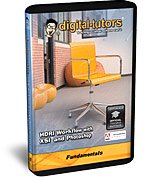
Digital Tutors - HDRI Workflow With XSI And Photoshop شماره 327
آموزش تکنیک Workflow توسط برنامه های فتوشاپ و XSI در قالب یکی سی دی از شرکت Digital Tutors
قیمت : قیمت کلیه محصولات را می توانید در فایل اکسل ( قابل دانلود ) ملاحظه نمائید
( آموزش شماره 326 )