فروشگاه ناوک - آموزش و نرم افزار گرافیکی انیمیشن طراحی و معماری
ارزانترین فروشگاه ارائه دهنده محصولات گرافیکی ، آموزشی ، نرم افزار و معماری
فروشگاه ناوک - آموزش و نرم افزار گرافیکی انیمیشن طراحی و معماری
ارزانترین فروشگاه ارائه دهنده محصولات گرافیکی ، آموزشی ، نرم افزار و معماریLuxology modo 401 Tutorial شماره 827
یک مجموعه آموزشی کامل و بسیار آموزنده که تمامی نکات و ترفندهای موجود در برنامه Loxology Modo 401 را با زبانی ساده و گویا بازگو می کند محتویات این سی دی آموزشی تمامی مباحث مدلسازی ، Sculpting و hair & Fur و سایه زنی و Painting و Map و Lighting و Rendering و.. به سادگی و بطور کامل برای علاقمندان شرح می دهد .
قیمت : قیمت کلیه محصولات را می توانید در فایل اکسل ( قابل دانلود ) ملاحظه نمائید
( آموزش شماره 827 )

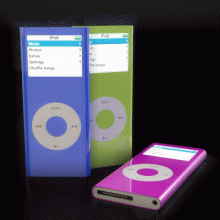
Model, Texture, and Render a Photorealistic Ipod in Modo 401
In this two part video tutorial, you will learn how to model, texture and render an iPod Nano 1st Gen in Modo 401. The techniques used here will be strictly poly modeling, and can therefore be applied to other 3D packages as well. The focus will be on the modeling and the texturing aspect, while the rendering process will be fairly simple in comparison to professional level renders
قیمت : قیمت کلیه محصولات را می توانید در فایل اکسل ( قابل دانلود ) ملاحظه نمائید
( آموزش شماره 826 )
Luxology - Modo 401 Spotlight شماره ۸۲۵
قیمت : قیمت کلیه محصولات را می توانید در فایل اکسل ( قابل دانلود ) ملاحظه نمائید
( آموزش شماره 825 )
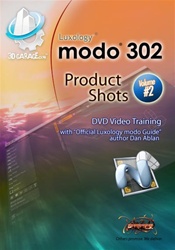
3D Garage - modo Product shots 2 شماره ۸۲۴
This inexpensive, brand new course, now available is designed to teach you how to create realistic looking products in modo 302. Volume 1 explored creating bottles and containers good for soap, shampoo, lotions, and concentrated on lighting and sets. In volume two, you'll increase your learning with modeling packages, bags, and intricate spray bottles. You'll learn to use enhanced modeling techniques, connection operations, image mapping with masking, how to make wrinkles, UV Mapping, studio lighting, and more. What might appear simple often turns out to be a bit more complex, and what can seem complex is usually quite simple.
This set covers mixing unique shapes to make the photoreal renders. Your course will not just show you how to model, but texture, light and render as well
قیمت : قیمت کلیه محصولات را می توانید در فایل اکسل ( قابل دانلود ) ملاحظه نمائید
( آموزش شماره ۸۲۴ )
Hard Surface Subdivision Surface Modeling شماره 823
This video tutorial from Luxology’s Andy Brown is all about how to approach the modeling of hard surface (vs. organic) model with multiple interlocking parts. When approaching any kind of complex model it is best to have a plan or methodology that will allow you to complete the project in an efficient and controlled manner. In this video album we show you how to develop and apply such a plan as you tackle modeling a high resolution game or film asset. The video is for anyone wanting to understand the fundamentals of modeling with Subdivision surfaces.
قیمت : قیمت کلیه محصولات را می توانید در فایل اکسل ( قابل دانلود ) ملاحظه نمائید
( آموزش شماره 823 )
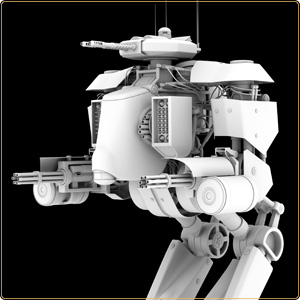
3dgarage Modo 302 Product shots 1 شماره 822
This inexpensive, brand new course, now available is designed to teach you how to create realistic looking products in modo 302. This first volume will explore creating bottles and containers good for soap, shampoo, lotions, and more. You'll learn to use enhanced modeling techniques, falloffs, connection operations, image mapping with masking, how to make liquids, studio lighting, and more. What might appear simple often turns out to be a bit more complex, and what can seem complex is usually quite simple.
قیمت : قیمت کلیه محصولات را می توانید در فایل اکسل ( قابل دانلود ) ملاحظه نمائید
( آموزش شماره 822 )
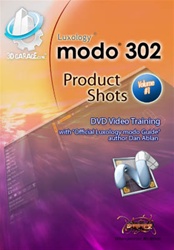
Modeling a Mountain Bike in modo 401 شماره 821
یک مجموعه آموزشی بسیار کامل از نرم افزار Modo که در بیش از 12 ساعت شما از ابتدا تا انتها با نحوه ساخت یک دوچرخه کوهستان آشنا می کند
Tutorial Chapter List
Modeling a Mountain Bike in modo 401 includes over 9.5 hours of step-by-step instruction. Learn how to model for optimum poly count and make use of many of modo's tools to model faster.
1. modo Setup - 16 minutes
2. Replicator Items - 27 minutes
3. Main Frame - 39 minutes
4. Wheels - 58 minutes
5. Handle Bars - 1 hour 18 minutes
6. Seat - 31 minutes
7. Brake Assembly - 53 minutes
8. Pedal Assembly (Part I) - 56 minutes
9. Pedal Assembly (Part II) - 32 minutes
10. Suspension - 25 minutes
11. Rear Derailleur - 50 minutes
12. Center Derailleur - 36 minutes
13. Chains & Cables - 45 minutes
14. More Replicators - 18 minutes
15. Modeling with Displacement - 12 minutes
قیمت : قیمت کلیه محصولات را می توانید در فایل اکسل ( قابل دانلود ) ملاحظه نمائید
( آموزش شماره 821 )
Digital Tutors Creating cartoon characters in MODO شماره 820
ساخت کاراکتر برای بکارگیری در انیمیشنها و کارتون ها با استفاده از نرم افزار خارق العاده Loxology Modo که در قالب سه سی دی از شرکت Digital Tutors عرضه شده است
* Look Development
* Exaggerated Proportions
* Adding Appeal
* Mesh Sculpting
* Image-based Sculpting
* Vector Displacement
* Painting Textures in modo
* Utilizing Shader Tree
* Global Illumination
* Constraining to Background
* Copying/Pasting Polygons
* Reusing Geometry
* SDS Subdivide
* Sub-D Modeling Tools
* Morph Maps for Facial Expressions
* Deformers
* Combining Falloffs and other Tools
* Combining Images with Effects in Shader Tree
* Organizing Item List
* Pen Tool
* Loop Slice
* Mirroring Geometry
* Modeling with Symmetry
* Element Move
* Selection Methods
* Edit/Delete Message
قیمت : قیمت کلیه محصولات را می توانید در فایل اکسل ( قابل دانلود ) ملاحظه نمائید
( آموزش شماره 820 )

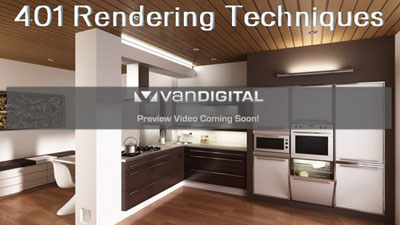
Vandigital 401 Rendering Techniques Tutorial شماره 819
Here we are again with a new series designed for Modo 401! Alot has changed theres lots to cover and I mean lots. Rendering techniques have changed a bit and thus need to be reviewed based on the changes.
This series focus's on the new features for rendering such as:
-Tone Mapping
-Caustics
-Volumetric lighting
-New gamma controls
-New preset controls
-Material presets system
-Material creation
-Exterior Lighting
-Exterior Environement Creation
-Interior Lighting
-Render trouble shooting
-In depth look at 401 controls
-In depth look at Vandigitals Render presets UI and how to use it.
-Leveraging shading rates
-Combining different render methods to produce biased/unbiased results.
-Fur for use in the archtectural world, grass, rugs, carpets, fuzz, etc.
-A in depth look into render size and how it affects IR settings.
قیمت : قیمت کلیه محصولات را می توانید در فایل اکسل ( قابل دانلود ) ملاحظه نمائید
( آموزش شماره 819 )
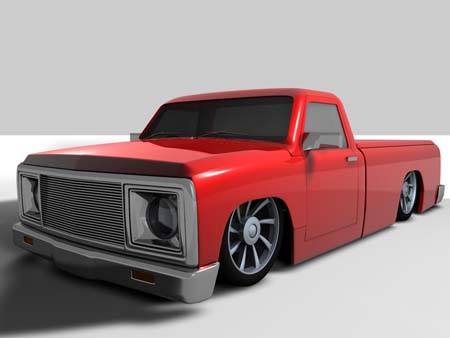
Low Rider Truck Modeling With OD1 in Cinema4D شماره ۸۱۸
یک آموزش جالب در زمینه مدل سازی یک خودرو که بیش از 6 ساعت آموزش را در خود جای داده است .
This Tutorial will show you tricks to model a Low Rider truck using specific modeling skills.The Tutorial demonstrates how to set up reference images to tweaking the final shell of a truck. 35 steps in all.Included in this tutorial are bonus features which demonstrates setting up a cool render scene,tool tips,models,mats and shaders for you to use.With this information, you will soon understand the basic steps to modeling and be on your way to deeper and more advanced model making.
قیمت : قیمت کلیه محصولات را می توانید در فایل اکسل ( قابل دانلود ) ملاحظه نمائید
( آموزش شماره 818 )