فروشگاه ناوک - آموزش و نرم افزار گرافیکی انیمیشن طراحی و معماری
ارزانترین فروشگاه ارائه دهنده محصولات گرافیکی ، آموزشی ، نرم افزار و معماری
فروشگاه ناوک - آموزش و نرم افزار گرافیکی انیمیشن طراحی و معماری
ارزانترین فروشگاه ارائه دهنده محصولات گرافیکی ، آموزشی ، نرم افزار و معماریDigital Tutors - Exploring Animation Principles in Maya 2011 Sol
Digital Tutors - Exploring Animation Principles in Maya 2011 Solid Drawing
In this collection of lessons we will learn about the animation principle of Solid Drawing.
What is Solid Drawing? How can this 2D concept be implemented in 3D? Throughout this course, we will define Solid Drawing and work through a variety exercises to help explain it. By the end of this course, you will understand the meaning behind the principle of Solid Drawing, which will help you to polish your animations to attain believable movements throughout the actions of your character.
1. Introduction and project overview
2. Understanding Solid Drawing
3. Completing the first exercise
4. Another example of utilizing Solid Drawing
5. Finishing the second exercise
قیمت : قیمت کلیه محصولات را می توانید در فایل اکسل ( قابل دانلود ) ملاحظه نمائید
( محصول شماره 1477)

Digital Tutors - Exploring Animation Principles in Maya 2011 Eas
| Digital Tutors - Exploring Animation Principles in Maya 2011 Ease In and Ease Out |
In this collection of lessons we will learn about the animation principle of ease in and ease out.
In this course, we will explore the animation principle of ease in and ease out in Maya. Why is ease in and ease out so important? Do our characters always need to cushion in and out of their movements, or are there special cases where doing so will just not work? We will answer these questions as we cover tips and techniques for using this principle to help enhance the sense of authenticity in characters. By the end of this course, you will have a deeper understanding of the principle of ease in and ease out, which will help your characters become more life-like to the viewer.
1. Introduction and Project Overview
2. Understanding Ease In and Ease Out
3. Where to Avoid Using Ease In and Ease Out
4. Ease In and Ease Out for Blinks
5. Ease In and Ease Out for Cartoon Takes
قیمت : قیمت کلیه محصولات را می توانید در فایل اکسل ( قابل دانلود ) ملاحظه نمائید
( محصول شماره 1476 )
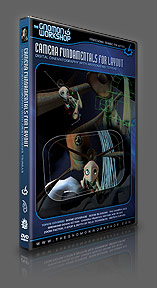
The Gnomon Workshop – Camera Fundamentals for Layout شماره1475
آشنایی با اصول فیلمبرداری دیجیتال برای بکارگیری در انیمیشنهای ساخته شده در نرم افزار LightWave و مایا و دیدن اون خالی از لطف نیست و نکات بسیار جالب توجهی برای آموختن دارد
In this DVD, director Aristomenis (Meni) Tsirbas covers the basics of one of CG animation’s least understood components: camera and staging, specifically in the context of effective storytelling. By breaking open one of his award-winning short films Meni reveals his creative process for designing a sequence to play clearly and dramatically. Story beats are broken down, camera motions are developed, and important narrative tools such as zoom factor and depth of field are explained. A detailed Do’s and Don’ts section guides the viewer to create polished, compelling, and tasteful camera animation by addressing proper use of motion curves, avoiding the ‘digital curse’, and overlaying the right amount of camera shake.
Topic Covered :
Scene coverage
Scene blocking
Breaking down action
Camera framing, motion and shake
The camera axis
Zoom factor, F stop and depth of field techniques
Working with motion curves
Telling a good story
Chapters :
Layout camera basics: coverage, blocking, camera motion and axis
Layout camera basics: Breaking out beats, motion graph, zoom factor and depth of field
Layout camera basics: Action sequence strategy, camera rig setup, staying ‘with’ a character
Layout camera basics: Shooting for dramatic effect and F-stop
Camera Do’s and Don’ts: Motion curves, flybys and camera shake
Software Used:
Autodesk Maya
NewTek Lightwave
قیمت : قیمت کلیه محصولات را می توانید در فایل اکسل ( قابل دانلود ) ملاحظه نمائید
( محصول شماره 1475 )
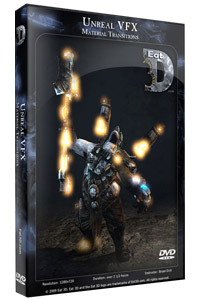
Eat3D - Unreal VFX - Material Transitions شماره ۱۴۷۴
آموزش تبدیل یک کاراکتر به موجودی سوخته و از بین رفته در اثر سوختن و یا ضربه و آتش سوزی در نرم افزار ساخت بازی UDK که همه علاقمندان با این نرم افزار کاملا آشنایی دارند .
در این مجموعه آموزشی شما با ساخت و ویرایش افکت های سینمایی مربوط به متریال ها و ساخت متریال های حرفه ای در موتور بازی سازی UDK آشنا خواهید شد .
قیمت : قیمت کلیه محصولات را می توانید در فایل اکسل ( قابل دانلود ) ملاحظه نمائید
( محصول شماره 1474 )
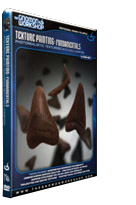
Gnomon W. Texture Painting Fundamentals Photorealistic Texturing
یکی از آموزشهای بسیار کاربردی در خصوص تکنیکهای تکستچرینگ در مایا که بسیار کاربردی و دارای نکات ارزنده ای است همینک آماده نموده ایم که توصیه می کنیم حتما این آموزش را ببینید .
| Gnomon W. Texture Painting Fundamentals Photorealistic Texturing with Paul Campion |
In this DVD lecture, Paul Campion explains the essentials of texture painting with Adobe Photoshop®, discussing how observation and an understanding of the original object’s surface qualities are the skills necessary to create photorealistic textures. Starting with reference captured using a standard flatbed scanner, he demonstrates how to create color, bump and specular maps for a prehistoric shark tooth, explaining how each type of map affects the surface qualities of the CG model, and how these three basic maps work together to create a photorealistic surface. In addition, this DVD covers the human face, one of the most difficult areas of a human to texture. This demonstration shows some of the basic principles involved in texturing a human head, relying on the use of good reference and observation skills. Paul also demonstrates how Maya can be effectively used as a 3D paint package, using Perspective Camera Projection and texture baking to generate complex UV maps, which are then combined in Adobe Photoshop® to create detailed realistic head textures.
قیمت : قیمت کلیه محصولات را می توانید در فایل اکسل ( قابل دانلود ) ملاحظه نمائید
( محصول شماره ۱۴۷۳ )

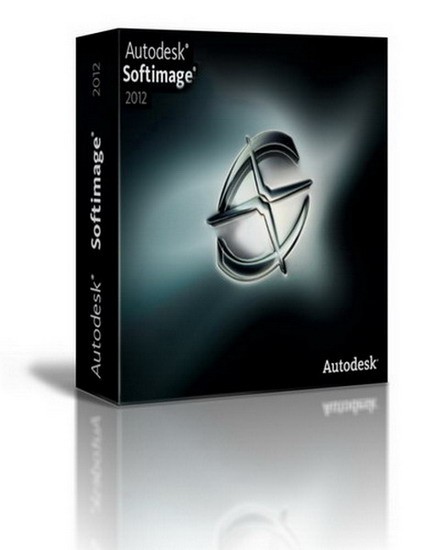
نرم افزار Autodesk Softimage 2012 x64Bit شماره ۱۴۷۲
نرم افزار Autodesk Softimage 2012 برنامه ای به منظور ساخت و متحرک سازی شخصیت ها و فضاهای موجود در انیمیشن ها ، فیلم ها ، بازی های ویدیویی و … می باشد. بوسیله این نرم افزار می توانید به سادگی و در کمترین زمان به خلق آثار هنری بی نظیری دست بزنید. شاید بتوان با کمی اغماض این نرم افزار را در حد و اندازه ۳ds Max و Maya دانست.
پیش از این در پستهای قبلی ورژن ۳۲ بیتی این نرم افزار قدرتمند را برای علاقمندان قرار دادیم و هم اینک نیز ورژن ۶۴ بیتی آن قابل عرضه می باشد . امیدواریم از این نرم افزار لذت ببرید . این نرم افزار کاملا تست شده و دارای کرک معتبر جی فورس می باشد .
قیمت : قیمت کلیه محصولات را می توانید در فایل اکسل ( قابل دانلود ) ملاحظه نمائید
( محصول شماره ۱۴۷۲ )

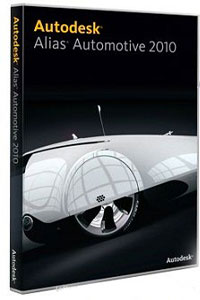
نرم افزار Autodesk Alias Automotive v2010 شماره ۱۴۷۱
Alias Automotive نام نرم افزاری قدرتمند از شرکت اتودسک برای انجام طراحی های دو و سه بعدی در زمینه طراحی اتومبیل و خودرو به صورت صنعتی می باشد. به کمک این نرم افزار می توان اقدام به طراحی های مختلف در زمینه های متنوع صنعتی طراحی اتومبیل و ماشین نمود. در گذشته از این نرم افزار تنها شرکت ها و سازمان های صنعتی استفاده می کردند و علت آن قیمت بالای نرم افزار بود ، ولی امروزه شرکت AutoDesk با در اختیار گرفتن امتیاز این نرم افزار اقدام به کاهش قیمت آن نمود و هم اکنون بسیاری از کاربران عادی نیز قادر به استفاده از این نرم افزار می باشند.
برخی از ویژگی های موجود در این نرم افزار:
- قابلیت طراحی های دو بعدی با استفاده از ابزارهای حرفه ای برای طراحی اتومبیل.
- توانایی اجرا و طراحی نقشه ها و اشکال سه بعدی با استفاده از موتور قدرتمند نرم افزار.
- توانایی یادداشت نویسی بر روی پروژه
- قابلیت رندر نمودن با قدرت بالا
- لایه بندی پروژه و استفاده از ابزارهای مختص این کار
و امکانات بسیار زیاد دیگر
قیمت : قیمت کلیه محصولات را می توانید در فایل اکسل ( قابل دانلود ) ملاحظه نمائید
( محصول شماره ۱۴۷۱ )
Greyscalegorilla Cinema 4D Tutorials شماره 1470
یک مجموعه بسیار جالب با بیش از 12 ساعت آموزش مفید برای علاقمندان به برنامه سینما 4 بعدی Cinema 4D که آموزشهای مفیدی به هنردوستان ارائه می دهد . لیست آموزشهای این مجموعه عبارتست از :
Create a Floating Balloon Animation Using HDRI Lighting and Particles in Cinema 4D
How to Animate and Control Lights and Dynamics with Xpresso In Cinema 4D Part 1
How to Animate and Control Lights and Dynamics with Xpresso In Cinema 4D Part 2
How to build a Sci-Fi Sphere Scene in Cinema 4D
How to Build a Softbody Glass Mesh with Dynamics in Cinema 4D
How to Build and Model A Car Driven With A Motor in Cinema 4D R12
How to Keep Clones from Going Through the Camera in Cinema 4D
How To Make a Candy Cane Text Animation In Cinema 4D
How to make a Cascading Text Animation with Cinema 4D and After Effects - Part 1
How to make a Cascading Text Animation with Cinema 4D and After Effects - Part 2
How to Make A Glossy Candy Stripe Texture in Cinema 4D
How To Make A Metal Logo Type in Cinema 4D and Photoshop
How to Make The AT&T End Tag Logo in Cinema 4D Part 1
How to Make The AT&T End Tag Logo in Cinema 4D Part 2
How To Make The Cherry 7up Look With Cinema 4D pt1
How To Make The Cherry 7up Look With Cinema 4D and After Effects Part 2
How to make the Infinite Floor look in Cinema 4D
How to make the the Discovery Channel Rebrand Cube Transition Effect with Cinema 4D - Part 1
How to make the the Discovery Channel Rebrand Cube Transition Effect with After Effects - Part 2
How to use Sub Polygon Displacement in Cinema 4D
How To Use Textures and Objects to Light Your Scene With and Without Global Illumination in Cinema 4D
How to use the Tracer Object in Cinema 4D
How to use Volumetric Lighting in Cinema 4D
قیمت : قیمت کلیه محصولات را می توانید در فایل اکسل ( قابل دانلود ) ملاحظه نمائید
( محصول شماره 1470 )

Metropoly Axyz Design People شماره 1469
by Josh Presseisen, Art Director (Neoscape, Inc.)
Metropoly by Axyz-Design offers multiple sets of 3d people that are low to medium poly (3-6k). These sets contain mostly casually dressed people with high quality textures and well laid out texture maps (for ease of editing).
On the positive side, the geometry looks good compared to some of the other low poly people sets out there. There are multiple poses for the models, which are nice to have, and the t-pose is great for animation. They also provide multiple texture resolutions which comes in handy if you need to decrease memory usage on render time. This product seems like it would be suited well for populating game environments. I was able to skin up a model with character studio's physique and biped, and load in some Mocap. The models deform nicely.
قیمت : قیمت کلیه محصولات را می توانید در فایل اکسل ( قابل دانلود ) ملاحظه نمائید
( محصول شماره 1469 )

نرم افزار Autodesk Softimage XSI 2012 32Bit شماره 1468
انیمیشن سازهای حرفه ای این نرم افزار را خوب می شناسند و همیشه به دنبال بدست آوردن سریع آخرین نسخه های آن هستند. با استفاده از این نرم افزار می توان گرافیک های سه بعدی کامپیوتری و مدل های سه بعدی و انیمیشن های پیشرفته را خلق کرد. این نرم افزار در صنعت فیلم، بازی های ویدیویی و تبلیغات برای ساخت محیط، اشیاء و کاراکترها کاربرد دارد.
نرم افزار Autodesk Softimage 2012 برنامه ای به منظور ساخت و متحرک سازی شخصیت ها و فضاهای موجود در انیمیشن ها ، فیلم ها ، بازی های ویدیویی و ... می باشد. بوسیله این نرم افزار می توانید به سادگی و در کمترین زمان به خلق آثار هنری بی نظیری دست بزنید. شاید بتوان با کمی اغماض این نرم افزار را در حد و اندازه ۳ds Max و Maya دانست.
این نرم افزار در سال 2000 توسط شرکت Softimage عرضه شد. سپس تابعی از Avid Technology و سرانجام حق امتیاز آن در 23 اکتبر 2008 توسط Autodesk با قیمت 35 میلون دلار خریداری شد.
این نرم افزار کاملا تست شده و سالم می باشد
قیمت : قیمت کلیه محصولات را می توانید در فایل اکسل ( قابل دانلود ) ملاحظه نمائید
( محصول شماره 1468 )