
فروشگاه ناوک - آموزش و نرم افزار گرافیکی انیمیشن طراحی و معماری
ارزانترین فروشگاه ارائه دهنده محصولات گرافیکی ، آموزشی ، نرم افزار و معماری
فروشگاه ناوک - آموزش و نرم افزار گرافیکی انیمیشن طراحی و معماری
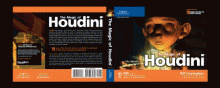
ارزانترین فروشگاه ارائه دهنده محصولات گرافیکی ، آموزشی ، نرم افزار و معماریHoudini tutorials collection شماره 1736
این پکیج عظیم و بسیار جالب شامل تقریبا تمامی آموزشهای موجود در سایت Houdini می باشد که بهمراه سورسهای آموزشی و پروژه ها در قالب سه دی وی دی و بیش از 20 ساعت آموزش مفید و کاربردی برای شما جمع آوری نموده ایم که امیدواریم از این پکیج عظیم استفاده مفید را ببرید . این پکیج آموزشهای بسیاری را در خود جای داده است که برخی از این آموزشها را در زیر لیست کرده ایم :
1 - Avalanche Previsualization
2 - Blowing an Image Away Using particles
3 - Carve Tools
4 - Creating A Gas Solver
5 - Creep Tools
6 - Crumpling & Tearing in Houdini 10
7 - Introduction to Attributes ,Variables and Expression
8 - Introduction to CHOPs
9 - Introduction to fluid dynamics in Houdini
10 - masterclass - Houdini
11 - muscle
12 - Particle Spray on Waves
13 - Pyro FX - General Workflow of Pyro FX in Houdini
14 - Quadruped Autorig Tools
15 - Ray Normals
16 - Surface Operations
17 - sweep orient to curve
18 - Transferring Color With Dynamics
19 - Wedge ROP
20 - WireFrame Renders . . . . .
قیمت 3 دی وی دی : 4000 تومان
( محصول شماره 1736 )
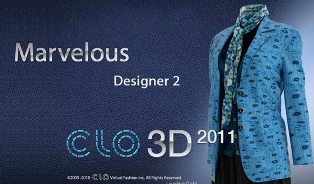
Marvelous Designer CLO3D 2011 Pro v3.1.9 شماره 1735
نرم افزار Marvelous Designer CLO3D 2011 Pro v3.1.9 یک نرم افزار قدرتمند طراحی مد و مدلسازی سه بعدی محسوب می شود . این نرم افزار دارای مکانیسم شبیه سازی و رندرینگ لباس بصورت واقعی بوده و دارای خروجی با فرمت رایج Collada, OBJ/MTL می باشد . این برنامه تمامی الگوهای طراحی را بخوبی پشتیبانی می کند و به شما اجازه توسعه طرح را بدون نیاز به دیگر برنامه های طراحی الگوی CADs می دهد . این برنامه از polyline ، free curve ، dart drawing پشتیبانی می کند . همین الان سبک مورد نظر خود را طراحی کنید .
ویژگی ها :
-طراحی الگو و دوخت
-ایجاد الگوی پایه (چند ضلعی ، مستطیل ، دایره ، حرکت تند)
-الگوهای پایه برای ویرایش
-جستجوی پیشرفته رسم منحنی
-دوخت سگمنت و دوخت رایگان
-فولدینگ (تاشونده)
-گذاشتن باند الاستیک
-هماهنگ سازی طراحی الگو و draping سه بعدی
-طراحی بافت
-الگوهای پایه برای ویرایش (ترجمه ، چرخش ، پوسته پوسته شدن)
-چاپ بافت های ایجاد شده (برای لوگوها و دکمه ها)
لازم به ذکر است هر دو ورژن 32 و 64 بیتی این نرم افزار با کرک معتبر را در این پکیج برای شما قرار داده ایم که امیدواریم مورد استفاده شما واقع شود .
قیمت سی دی : 500 تومان
( محصول شماره 1735 )
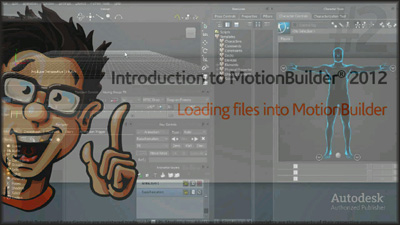
Digital Tutors - Introduction MotionBuilder 2012 شماره 1734
این آموزش نیز پیرامون یکی از کاربردی ترین نرم افزارهای شخصیت سازی و متحرک سازی سه بعدی یعنی MotionBuilder 2012 می باشد . این نرم افزار یکی از بهترین نرم افزار های سه بعدی برای به حرکت در آوردن کاراکترهای سه بعدی و یا در اصطلاح ۳D Character Animating می باشد . شایان ذکر است ترکیب توانمندی های نرم افزار های Maya و یا مکس با نرم افزار MotionBuilder می تواند سبب خلق آثاری بینظیر گردد .
جالب است بدانید انیمیشن سازی شخصیت های برخی از بازی های معروف همچون Killzone 2 و Assassin’s Creed با این نرم افزار صورت گرفته است .
در این دی وی دی آموزشی از شرکت Digital Tutors نیز قصد داریم شما را با اصول کار با این نرم افزار آشنا کنیم . ما چگونگی انتقال آبجکتها به محیط سه بعدی و نحوه کنترل این انتقال برای پوسچر سازی انیمیشن را بخوبی به شما آموزش می دهیم .
We'll learn about its keyframing tools, like the Key Controls and Fcurves window, for creating, polishing, and cycling animation. We'll then discuss Characterization, which is the process of making your characters ready for animation and retargeting. We'll learn how to work with its advanced Control Rig and how to use its Pose Controls to build performances faster. From there, we will learn how to work with its robust animation layering system, how to set up cameras, and how to create real-time movies for previews. This course will provide you with the solid foundation you need to comfortably integrate MotionBuilder into your production pipeline to create animation faster and easier.
قیمت دی وی دی : 1000 تومان
( محصول شماره 1734 )
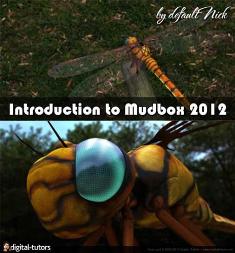
Digital Turors - Introduction to Mudbox 2012 شماره 1733
در ادامه گذاشتن نرم افزار Mudbox 2012 آموزش آنرا نیز از شرکت Digital Tutors آماده نموده ایم که جدیدترین آموزش این نرم افزار حارق العاده محسوب می شود . در این مجموعه آموزشی با هرچیزی که شما برای شروع کار با این نرم افزار نیاز دارید آشنا می شوید . در درسهای این مجموعه آموزشی تکنیکهای قوی حجاری و پاینتینگ بافت را فراخواهید گرفت . مدلسازی یک سنجاقک زیبا و نحوه استفاده از تکنیکهای پاینتیگ از جمله مواردی است که در درسهای این مجموعه گنجانده شده است .
We will proceed from there by using a project based approach to cover the sculpting and painting tools. We will also create our own Vector Displacement Maps that we can use to sculpt. We will talk about changing our tool properties to get different results and using stamps and stencils to create various looks. We will go over some on-target presentation features in Mudbox and move on to painting textures. We will cover the Mudbox paint layer functionality and talk about new features in 2012 like uv-less PTEX painting and layer masks. We will talk about the Pose tools and painting opacity maps for our meshes. We'll finish up by talking about how Mudbox integrates with other applications like Photoshop, Maya, 3ds Max, and Softimage. This course will give you the chance to learn the ins and outs of Mudbox by going through the process with a project based approach. Once you have completed these lessons, you will be able to take what you have learned and apply it to your own work.
قیمت دی وی دی : 1000 تومان
( محصول شماره 1733 )
AUTODESK MOUBOX V2012 WIN32_64bit شماره 1732
MUDBOX 2012 نرم افزاری فوق العاده برای طراحی و ایجاد مدل ها و اشکال سه بعدی می باشد. این نرم افزار قدرتمند که محصول کمپانی AUTODESK می باشد شما را قادر می سازد انواع اشکال سه بعدی دلخواه خود را ایجاد و طراحی نمایید. شما می توانید به آسانی و با دستکاری یک حجم بی شکل و نامنظم آنرا به یک آبجکت ۳D فوق العاده زیبا تبدیل کنید و آثار هنری چشمگیری خلق نمایید. از نکات جالبی که در مورد این برنامه می توان گفت این است که بسیاری از کمپانی های فیلم سازی و جلوه های ویژه از نرم افزار MUDBOX استفاده کرده و از آن در خلق شخصیت ها تخیلی و یا کارتونی خود استفاده می نمایند. MUDBOX 2012 دارای قابلیت اجرا بر روی هر دو نوع سیستم ۶۴ و ۳۲ بیتی می باشد.
برخی از قابلیت های نرم افزار AUTODESK MUDBOX 2012:
- دارای ابزارهای براش حرفه ای
- قدرت بالا در رندر مدل های سه بعدی
- دارای قابلیت لایه بندی
- پشتیبانی از FBX و فایل های PSD
- قابلیت استفاده از SDK
- محیط کاربری آسان
قیمت 2 سی دی : 800 تومان
( محصول شماره 1732 )
Digital Tutors - Creative Development Enhanced IK Animal Rigging
Digital Tutors - Creative Development Enhanced IK Animal Rigging with Farley Chery
بیش از ۱۰ ساعت آموزش ریگینگ یک شیر کوهستان با استفاده از تکنیک IK در مایا 2012
در این مجموعه آموزشی آقای Farley Chery با ایجاد کنترلی دقیق بر روی یکی از سخت ترین تکنیکهای ریگینگ یعنی IK در یک شیر کوهستان و چهارپایان با آناتومی مشابه شما را با این تکنیک هیجان انگیز آشنا می کنند . این ویدئوی آموزشی از 52 قسمت تشکیل شده است که بیش از 10 ساعت آموزش مفید را در بر می گیرد . دیدن این مجموعه بسیار کاربردی را به شما توصیه می کنیم . لیست این 52 قسمت آموزشی عبارتست از :
52 videos in this course
1. Introduction and overview
2. Taking a look at our enhanced IK setup in the hind legs
3. Comparing FK systems
4. Beginning the no flip knee
5. Creating our measure tool
6. No flip knee hierarchy for auto swivel hips
7. Finishing the knee and pole vector hiearchies
8. Finishing the no flip knee and understanding the PV buffer
9. Exporting out our mechanism
10. Theory adding FK controls
11. Creating and export the right Pole Vector
12. Creating a squash and stretch spine
13. The nSpine
14. Troubleshooting and looking at other options for spinal controls
15. Troubleshooting and looking at other options for spinal controls (part 2)
16. Spine revision using components instead of cluster for control
17. Adding in spinal rotations
18. Finishing the rotation controls and adding a kill switch
19. Completing the spine tool and prepping for the tail
20. Completing the tail setup
21. We begin our automatic hip orientation rig
22. Finishing up the automatic hip setup
23. Introduction to our model
24. Inserting the Spine and Tail
25. Editing the inserted setups
26. Anatomy of a cat and joint placement
27. Completing joint placement
28. Inserting our no flip knees and automatic hip tools
29. Adding rear IK handles and controlling stretch
30. Cleaning up the tail and prepping for the creation of the neck
31. Review of the neck and creation controls
32. Review of the skinned model
33. Enhancing the useful output from our Ik handles
34. Adding toe movements and troubleshooting
35. Adding in knee compensation for foot swivel
36. Wrapping up the hind paw
37. Beginning the foreleg controls
38. Building a pose space tool to automate the scapula
39. Finishing the automatic scapula and adding our controller
40. Adding rotational elements to our controller
41. Adding enhanced IK controls for the foreleg
42. Looking at the buffer group and discussing other rigging options
43. Wrapping up the neck controls
44. Implementing our motion flow hips
45. Setting up the chest controls
46. Setting up the COM and COG
47. Implementing the no flip pole vector into our foreleg
48. Parenting the head
49. Quick cleanup of the rig
50. Finishing up the tail
51. Tips to improve the rig
52. Final rig tests
قیمت دی وی دی : 1200 تومان
( محصول شماره 1731 )

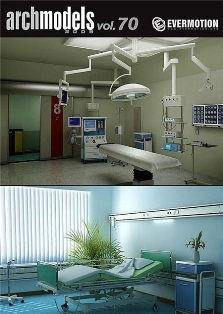
Evermotion Archmodels vol 70 شماره 1730
مجموعه شماره 70 از مدلهای شرکت Evermotion شامل تجهیزات بیمارستانی با جزئیات کامل بهمراه تمامی تکستچرها شیدرها و متریالهای مورد استفاده برای بکارگیری در تری دی مکس و وی ری
قیمت دی وی دی : 1000 تومان
( محصول شماره 1730 )
cmivfx - Complete Syntheyes Training شماره ۱۷۲۹
Syntheyes یکی از کاملترین و سریعترین camera-trackers و در عین حال دارای امکانات جدید می باشد . این آموزش نه تنها به شما اصول پایه تا پیشرفته این نرم افزار را یادآوری می کند بلکه با نگاهی عمیق به ابزارهای جدید و گسترده گامی بسوی تراکینگ ساده نیز بر می دارد . بهمراه این آموزش خود برنامه را نیز برای شما تهیه نموده ایم که تقدیم حضورتان می کنیم .
IntroductionFor starters we'll use a simple shot and do the most obvious thing when you first open Syntheyes: A completely automatic track. In a matter of literally seconds you'll have a pretty usable result, that will quickly improve by using some simple clean-up techniques. Orient the scene in 3d-space and insert 3D-objects into your scene to test if everything works, export your camera-solution and voilá - you have a decent matchmove in just a few minutes.
Solving a shaky handheld shot
Life not often makes it easy for you, and so you'll often be confronted with things like motion-blur, camera-shake and lens-distortion. So for the more difficult shots we'll have to bring the big guns in. Automatic tracker cleanup, manual control over each tracker-curve in the graphs-editor and fine-tune trackers can really improve your camera solution. To solve fast and shaky hand-held footage with lots of motion-blur it's best to use supervised tracking to give you the most control over each tracker. If you're footage was shot with a lens that has barrel-distortion then you have another problem that can make things more complicated. Tracks will have lots of errors, and 3D objects will not fit to the footage not matter what. Luckily Syntheyes has a clever way to get rid of lens-distortion. Or even to re-distort the CGI, if the director wants to work with the original footage later in compositing.
Modeling with Syntheyes
With the tracking-features and resulting 3d-points you can not only define the camera, but also re-model the scene, just use the points to define a mesh! And if there are not enough features for you to re-create the scene, insert zero weighted trackers (ZWT) that don't affect the camera solution but will position themselves in the correct place in your 3d environment. And if you need more organic shapes to be rebuilt, add thousands of 3d-points all at once to build your mesh. You can even texture that mesh by using camera-projection right within Syntheyes, to test if camera-mapping will work later in your 3d- or compositing-application.
Solving Tripod shots - with 3d environment?
The common problem with tripod shots is that it is impossible to get any usable 3d information out of just a camera-pan. The solution of the camera movement might be good, still it can be hard to position it in a reasonable and exact way in 3d-space. That problem can quickly be solved with Syntheye's lens-tools. Use any straight perspective lines in one frame of your tripod-shot to setup a coordinate system that let's you position objects in your scene more easily - that makes life easier for the 3d-artist! You can even use that method on still images.
A moving camera - and a moving object!
Although primarily a camera-tracker, Syntheyes does a really good job at object-tracking. The last chapter of this tutorial shows you how to track camera and objects in one scene altogether, how to setup their coordinate systems and how to orient them in 3d-space. You can really do amazing things with this great software. Make sure you have some time and your favorite compositing and 3d application at hand! You'll want to try out all these goodies immediately!
قیمت دی وی دی : 1200 تومان
( محصول شماره 1729 )

Total Training Adobe Premiere Pro CS5 شماره 1728
نام این مجموعه Total Training Adobe Premiere Pro CS5 Essentials Interactive and Video Tutorial میباشد که همان طور که از نام او پیداست بهترین و مطمئن ترین آموزش تصویری حال حاضر در دنیا برای نرم افزار قوی Adobe Premiere Pro CS5 میباشد که به شما این برنامه را به صورت کاملا دقیق و حرفه ای می آموزد...
با دیدن این فیلم آموزشی احتمالا شما به یک آموزش دقیق و اصولی دست یافته اید . با دیدن این آموزش شما باید یاد بگیرید که چگونه به ویرایش تولیدات تصویری خود بپردازید به صورت کاملا حرفه ای و در کمترین زمان ممکن و با بودجه پایین...
قیمت سی دی : 500 تومان
( محصول شماره 1728 )
آموزش امکانات و ویژگی های Mac OS X 10.6 Snow Leopard شماره1727
این آموزش شما را با امکانات جدید Mac OS 10.6 Snow Leopard آشنا می کند . آموزش برخی از ویژگی ها جدید و بهبود های صورت گرفته در این نسخه از سیستم عامل Mac بهمراه استفاده از امکان Finder در سیستم عامل مک و آموزش چینش اجزای محیط کاربری مک توسط امکان Dock آموزش استفاده از مرورگر Safari و پخش موسیقی و ویدیو ها ( آنلاین و آفلاین ) بوسیله Quick Time Player و همچنین آموزش کارکردن با اسناد در Mac OS X و خیلی ویژگی های دیگر که در این سی دی با آن آشنا می شوید .
قیمت سی دی : 500 تومان
( محصول شماره 1727 )
