فروشگاه ناوک - آموزش و نرم افزار گرافیکی انیمیشن طراحی و معماری
ارزانترین فروشگاه ارائه دهنده محصولات گرافیکی ، آموزشی ، نرم افزار و معماری
فروشگاه ناوک - آموزش و نرم افزار گرافیکی انیمیشن طراحی و معماری
ارزانترین فروشگاه ارائه دهنده محصولات گرافیکی ، آموزشی ، نرم افزار و معماریUDK Fractured شماره 1520
این هم آموزشی دیگر از برنامه فوق العاده قدرتمند بازی سازی UDK که با این نرم افزار آموزنده و شیرین می باشد . شاید در بازیهای مختلف دیده باشید با شلیک به سمت اشیاء هیچگونه تغییری در آنها ایجاد نمی شود و یا شکستگی در آنها دیده نمی شود و در برخی بازینها برعکس جزئیات شکستن و خورد شدن اشیاء را می بینید و از ادامه بازی لذت می برید . در این آموزش با این تکنیکها بخوبی آشنا می شوید .
قیمت : قیمت کلیه محصولات را می توانید در فایل اکسل ( قابل دانلود ) ملاحظه نمائید
( محصول شماره 1520 )
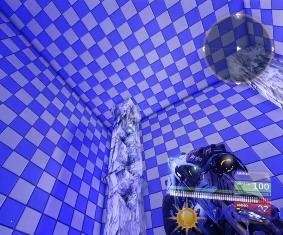
UDK export / import شماره 1519
در این آموزش نیز شما یاد خواهید گرفت که چگونه با استفاده از تکنیکهای Import و Export موضوعات ساخته شده را به برنامه وارد و سپس استخراج نمائید . دیدن این آموزشها را به علاقمندان ساخت بازی توصیه می کنیم .
قیمت : قیمت کلیه محصولات را می توانید در فایل اکسل ( قابل دانلود ) ملاحظه نمائید
( محصول شماره 1519 )
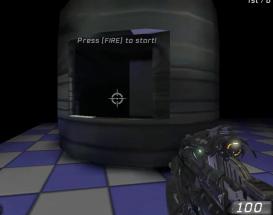
UDK - Create Person شماره 1518
آموزش بسیار جالب و آموزنده ساخت یک شخصیت در برنامه ساخت بازی یعنی UDK که پیش از این نیز آموزشهای مرتبط را برای عرضه گذاشته بودیم . در این دی وی دی آموزشی با پویانمایی این شخصیت و بکارگیری تکنیکهای ویژه جهت استفاده از آن در بازی آموزش داده خواهد شد .
قیمت : قیمت کلیه محصولات را می توانید در فایل اکسل ( قابل دانلود ) ملاحظه نمائید
( محصول شماره 1518 )
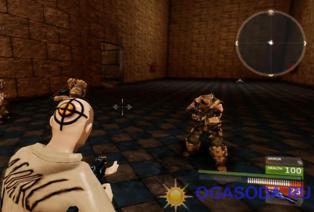
TRansformers 3DS Max - All Models شماره 1517
تمامی مدلهای معروف فیلم Transformers بهمراه فایلها و تصاویر مورد نیاز جهت استفاده در تری دی مکس که امیدواریم از این مجموعه لذت ببرید .
قیمت : قیمت کلیه محصولات را می توانید در فایل اکسل ( قابل دانلود ) ملاحظه نمائید
( محصول شماره 1517 )
Digital Tutors -Projection Painting With Spotlight In ZBrush
| Digital Tutors -Projection Painting With Spotlight In ZBrush 4 |
In this series of lessons we will learn how to use Spotlight in ZBrush 4 to create seamless, photorealistic textures for a human head.
ZBrush has been a powerful texturing tool for several years, giving us the ability to paint very quickly and intuitively directly on our models. With the addition of Spotlight in ZBrush 4, we can project existing textures onto our models in a very user friendly way that will get us great results in a matter of minutes. We will begin our project by importing our reference images and learning to save them out as a Spotlight that we can reuse over and over. From there, we will learn to adjust aspects of our images like hue and saturation before painting with them. We will also learn to move parts of our images around to better match with the underlying geometry. We will also cover techniques for filling gaps on the model to blend in areas that we may not have reference of. We will finish up by using LightBox to download any additional images we might need and incorporate those into our existing Spotlight. Once you are done, you will be able use Spotlight to very quickly paint your characters or other models using existing images.
Lesson Outline (8 lessons)
1. Introduction and project overview
2. Assembling images and saving a Spotlight
3. Adjusting images in preparation for projection
4. Using the Nudge brush to warp images to fit geometry
5. Projecting the ear
6. Projecting other areas of the head
7. Filling in texture gaps manually
8. Projecting the eyes and creating texture maps
قیمت : قیمت کلیه محصولات را می توانید در فایل اکسل ( قابل دانلود ) ملاحظه نمائید
( محصول شماره 1516 )
Digital Tutors - Presentation Techniques in ZBrush 4 شماره1515
We will start by talking about some of the basic ways to get images and animations out of ZBrush, including things to think about when changing document settings and render settings. We will talk about some of the things you can do to add a little appeal to the presentation of your models like changing the materials and adding poses to your characters. We will explore some of the animation tools and look at a variety of display options that we can animate. We will look into grounding our models using turntable bases and use Xpose to animate subtool reveals. We will also explore the animation of layers to show off variations, like facial expressions, that we may have created. In the end you will have a better idea of some of the tools you can use to show off the work you have done in ZBrush and create the best impression possible.
1. Introduction and project overview
2. Creating still images
3. Creating animated sequences
4. Adding poses and expression for presentation
5. Materials and rendering tips
6. Animating model display attributes
7. Building a turntable base
8. Using Xpose to reveal subtools
9. Animating layers to show variation
10. Creating camera animation and cuts
11. Using and creating custom backgrounds
12. Customizing movies with images and text
13. Using audio to time your presentations Download from FileSonic (SharingMatrix)
قیمت : قیمت کلیه محصولات را می توانید در فایل اکسل ( قابل دانلود ) ملاحظه نمائید
( محصول شماره 1515 )
Digital Tutors - Beginner's Guide to Zbrush 4 شماره 1514
آموزش نکات و ترفندهای جدید آخرین نسخه برنامه قدرتمند ZBrush توسط Digital Tutors
In this collection of lessons we will learn the basics of working ZBrush.
Introducing the Beginner Guide to ZBrush, a fundamental learning series brought to you by Digital-Tutors, the largest online CG training library in the world and a Pixologic Authorized Training Provider. In this course you will get an introductory look into ZBrush so you can learn essential terms and definitions and build a solid foundation. We will start off by covering the basics of the ZBrush interface and how you can work with models in the application. We will then take a look at how models are subdivided and how you can then sculpt and paint the detail you want. You will also learn about adding materials, posing geometry, and creating models using ZSpheres.
قیمت : قیمت کلیه محصولات را می توانید در فایل اکسل ( قابل دانلود ) ملاحظه نمائید
( محصول شماره 1514 )
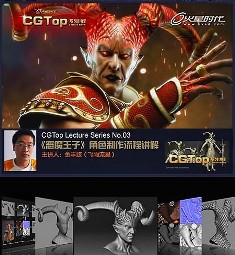
CG Top - Creating a Character for Games in 3DSMax شماره 1513
یک آموزش بسیار زیبا و جالب در نرم افزار تری دی مکس برای خلق یک کاراکتر مورد استفاده در بازی های رایانه ای
در این آموزش از فتوشاپ برای کمک گرفتن در تکسچر، زیبراش برای دادن جزئیات به مدل، UV Layout برای عملیات UV Mapping و موتور قدرتمند VRay برای رندر نهایی استفاده میشود.
قیمت : قیمت کلیه محصولات را می توانید در فایل اکسل ( قابل دانلود ) ملاحظه نمائید
( محصول شماره 1513 )
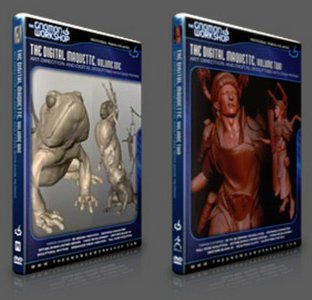
Gnomon Workshop Digital Maquette Volume 1 شماره 1512
پیش از این در پست شماره ۲۷۶ با قسمت دوم این آموزش بسیار جالب و حرفه ای در نرم افزار Zbrush آشنا شدید . همینک قسمت اول این آموزش را برای شما قرار داده ایم که امید است مورد استفاده علاقمندان قرار گیرد
قیمت : قیمت کلیه محصولات را می توانید در فایل اکسل ( قابل دانلود ) ملاحظه نمائید
( محصول شماره 1512 )
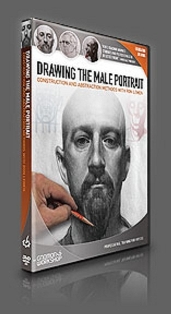
Gnomon Workshop – Drawing the Male Portrait – Construction and A
Gnomon Workshop – Drawing the Male Portrait – Construction and Abstraction Methods with Ron Lemen
در این مجموعه ی آموزشی ، طراح و گرافیست معروف جهان Ron Lemen بر روی ایجاد تصویر چهره یک مرد از زاویه جلو ، ۳ رخ و دید عمومی در حالی که تمامی ابزارهای اصلی طراحی سنتی را پوشش می دهد تمرکز دارد ، او به بحث و توضیح در مورد سر انسان در هنگام تجزیه و تحلیل شکل های مختلف سر انسان می پردازد که دقیقا استفاده از تکنیک " تجرد و ساخت " است که او حتی دلیل استفاده از این تکنیک را نیز توضیح می دهد .
استفاده از سایه ها در هنگام طراحی و چگونگی کنترل خطوط طراحی شده نیز به طور کامل و دقیق مورد بحث و گفتگو قرار می گیرد ، در این مجموعه ، چندین نقاشی با مراحل کار و روش طراحی آن ها توضیح داده می شوند که به عنوان دروس نهایی و حرفه ای برای فراگیرنده این مجموعه آموزشی در نظر گرفته شده است .
قیمت : قیمت کلیه محصولات را می توانید در فایل اکسل ( قابل دانلود ) ملاحظه نمائید
( محصول شماره ۱۵۱۱ )